

How to Win Back Lost Leads with Remarketing (2026 Guide)
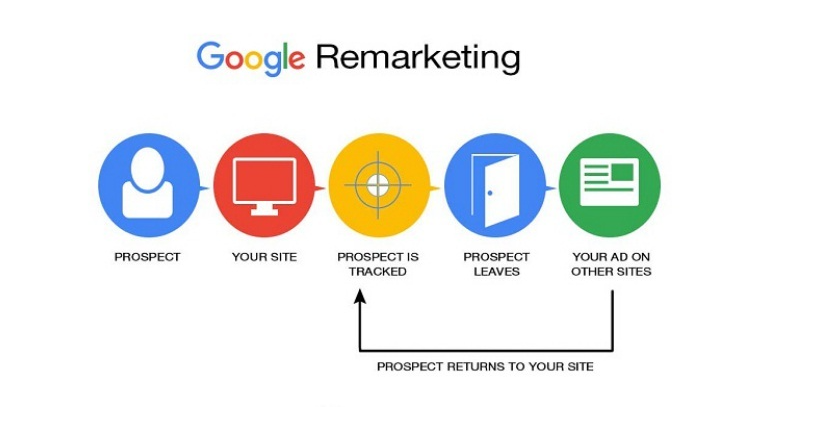
It happens more often than businesses like to admit: a promising visitor arrives via your ad, browses your site, perhaps even adds a product to cart or engages with your content — and then disappears. That visitor is lost… unless your remarketing strategy brings them back. In the world of digital advertising in 2026, lost leads are not gone forever if you reconnect with them the right way. This guide focuses on how to use Google Ads remarketing to recover those leads, enhance conversion rates, and make sure your initial ad investment doesn’t become wasted spend.
Why Lost Leads Matter and How Remarketing Rescues Them
Most websites see a high percentage of visitors leave without converting. That time and ad spend is still a cost to you, and if nothing is done to re-engage those users, that cost simply goes unrecovered. By using remarketing, you’re targeting people who have already shown some interest in your brand, which inherently means they have higher potential to convert compared with completely cold traffic. For example, a study of remarketing performance found that users who saw remarketing ads were about 70 percent more likely to convert than people who hadn’t previously visited the site. This kind of uplift demonstrates why losing a visitor isn’t the end of the story — it’s the start of another opportunity.
Understanding the Remarketing Opportunity in Google Ads
When you set up a campaign in Google Ads and someone clicks your ad, that’s just the first step. The visitor leaves and may never return — unless you strategically bring them back. Google Ads remarketing allows you to add those visitors to audience lists (via the Google Ads tag or Google Analytics 4) and then show tailored ads to them as they browse other websites, use YouTube, or perform searches again. The effectiveness comes from the combination of prior interest plus a targeted follow-up at the right time. Because these users are “warm,” the cost per action is often lower and the likelihood of conversion higher. If you neglect this stage of the funnel, you’re basically leaving money on the table.
Example Scenario: How a Remarketing Campaign Recovered 40% of Abandoned Leads
Let’s put this into a realistic scenario. A mid-sized service business runs search campaigns in Google Ads and drives 1,000 visitors to its landing page per month. Typically, 5 percent convert, meaning 50 leads. But the remarketing tag data shows that an additional 200 people (20 percent of visitors) engaged deeply — they visited the pricing page, watched a demo video, or downloaded a guide but didn’t convert. Without remarketing, those 200 are “lost.” By deploying a tailored remarketing campaign — serving display ads to those 200 visitors within the next seven days with messaging like “Still exploring our service? Schedule your free consultation today” — the business achieved a 40 percent recovery rate: 80 of those 200 returned and converted over the next 60 days. That means an additional 80 leads on top of the original 50, increasing total leads by 160 percent and bringing total leads to 130. The incremental cost for the remarketing exposure was small compared to the original search clicks because display impressions cost less, and the conversion rate from a warm audience was much higher. This kind of scenario aligns with industry data indicating remarkable conversion lift for remarketing audiences. For example, research shows that retargeted users are 43 percent more likely to convert than first-time visitors. When you calculate the ROI, that incremental 80 leads at the same cost per lead dramatically improves your overall campaign efficiency. Lost leads become reclaimed revenue.
Setting Up Google Ads Remarketing: The Essentials
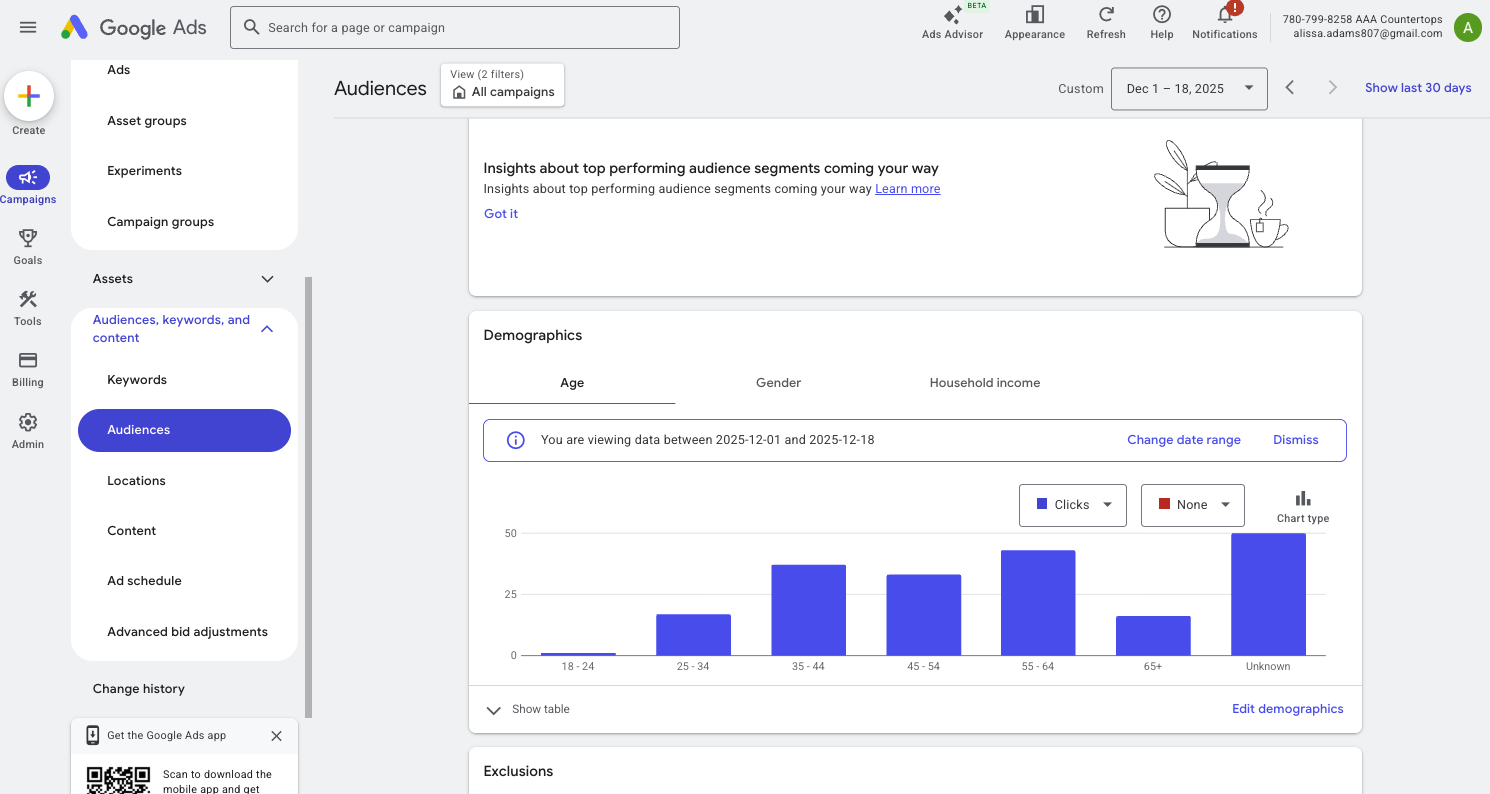
Step 1: Create your remarketing tag or audience list
In Google Ads, navigate to Audience Manager and create a new “Website visitors” list. Install the global site tag or use Google Analytics 4 to collect visitor data. Decide which visitors you want to remarket: all visitors, those who visited specific pages, or those who reached a point in your funnel but didn’t complete the conversion.
Step 2: Build segment-specific audiences
Rather than treating all past visitors the same, segment your audience based on their actions. For example, list A could be people who visited your pricing or checkout page but did not convert; list B could be people who visited a blog or resource page and left.
Step 3: Choose your campaign type
Remarketing in Google Ads works in multiple formats: Display Network, Search (via Remarketing Lists for Search Ads or RLSA), Video (YouTube), and Dynamic Remarketing for e-commerce. Each format serves a different purpose.
Step 4: Write tailored ad creatives
Your ads should speak directly to the audience’s stage in the funnel. For someone who visited the pricing page but didn’t convert, your ad might say “Ready to talk? Book a free consultation now.” For someone who just read a blog, perhaps “Download our advanced guide on Google Ads strategy.”
Step 5: Set frequency caps and exclusion lists
You don’t want to spam your audience. Set reasonable caps on how many times someone sees your ad per week. Exclude recent converters so you aren’t wasting budget targeting people who already converted.
Step 6: Monitor and optimize
Track conversions tied back to your remarketing campaign. Compare CPA (cost per acquisition) between your remarketing audience and your cold traffic audience. Adjust bids, creatives, and audience durations accordingly.
Advanced Remarketing Tactics for Higher Recovery Rates
Use RLSA (Remarketing Lists for Search Ads)
RLSA allows you to combine remarketing lists with search campaigns. When a past visitor returns and searches relevant keywords, you can bid more aggressively or show different ad copy because you know they are already familiar with your brand. This dramatically increases your chance of conversion because the visitor has already shown interest.
Employ dynamic remarketing
For e-commerce clients or service businesses with multiple offerings, dynamic remarketing shows the exact product or service the user earlier viewed, along with bespoke offers or messaging. This highly relevant experience often yields superior conversion rates.
Tailor ad creative by funnel stage
If a visitor abandoned at the checkout stage, show a message that addresses hesitation: “Still thinking it over? Talk with our specialist at no cost.” If they simply browsed resources, show a lower-commitment call to action: “Ready to learn more? Download this free kit.” This kind of tailored messaging ensures relevancy and improves lift.
Shorter lookback windows for high-intent audiences
People who visited your pricing page recently are more likely to convert than those who visited six months ago. Consider shorter audience durations (such as 7-14 days) for high-intent segments. For broader audiences, you might allow 30-90 days.
Combine with offline or CRM data
If your business tracks offline conversions (calls, bookings, in-person visits), import those into Google Ads. Remarketing becomes more powerful when you know not only who returned to your site, but who later became a customer.
Use exclusions and frequency management
Set exclusions for users who already converted or who are on your “no thanks” list. Also, set frequency caps to avoid ad fatigue which can annoy users and raise your costs. Over-exposure can reduce effectiveness and increase CPC or CPA.
Metrics That Matter and How to Measure Them
When evaluating remarketing performance, focus on these key metrics:
Click-through rate (CTR): A high CTR indicates your ad is relevant to your audience.
Conversion rate: The percentage of remarketing clicks that become leads or customers. This is often higher for remarketing than for cold traffic.
Cost per conversion (CPA): Calculate how much each regained lead costs you via remarketing.
Return on ad spend (ROAS): Especially important if you assign a value to each conversion (either revenue directly or estimated lifetime value).
Audience duration performance: Compare performance by how long ago the user visited your site. Younger audiences will typically convert at higher rates.
Search term overlap (for RLSA): In search campaigns using remarketing lists, review the terms being triggered and exclude irrelevant ones or add negative keywords. Google's built-in tracking and attribution models are helpful, but for full accuracy combine with your CRM or offline conversion data so you can tie back conversions to actual business outcomes.
Common Mistakes in Remarketing and How to Avoid Them
Many advertisers start remarketing campaigns but don’t get the results they expect. The cause is often mistakes in targeting, ad fatigue, or mismatched messaging.
Targeting too broadly. If you target everyone who visited your site, rather than those who took meaningful actions, you’ll spend money on low-intent users. Segment your lists.
Ads that feel generic. When your message doesn’t reflect a visitor’s prior action, they’re less likely to engage. Offer a relevant next-step.
No exclusions or frequency caps. Showing the same ad to someone repeatedly without action leads to diminishing returns and wasted spend.
Ignoring pipeline time. A visitor may return and not convert immediately. If you stop the campaign too early you’ll miss later conversions.
Failing to import offline conversions. If you only track clicks and form submissions, you miss phone calls or in-person visits that resulted from the remarketing ads — which underestimates your impact.
Integrating Remarketing into Your Full Funnel Strategy
Remarketing should not exist in isolation. It works best when embedded into your overall PPC and marketing funnel. Start with an awareness or acquisition campaign to attract cold visitors via search, display, or YouTube. Then, those visitors enter your remarketing lists. Your remarketing campaigns keep them engaged and lead them toward conversion through multiple touchpoints. Once they convert, you may exclude them from further remarketing or shift them into a loyalty/upsell campaign. This funneled approach ensures you’re not constantly chasing new visitors, but also nurturing the ones you already attracted. It reduces cost by focusing on known audiences and improves efficiency by aligning your ad spend with action stages. For businesses using comprehensive paid advertising, remarketing is one of the highest-ROI channels because you build on existing interest rather than starting from scratch. That’s why your remarketing strategy should be carefully planned, measured, and layered into your broader PPC campaigns.
The Future of Remarketing in 2026 and Beyond
As privacy regulations expand and third-party cookie usage declines, remarketing is adapting. Google’s own tools like GA4 and machine-learning-driven audience segments help advertisers maintain targeting precision without relying solely on cookies. Expect to see advanced predictive models that identify future converters, more detailed look-alike audiences based on first-party data, and cross-device remarketing that tracks a user from mobile to desktop to connected TV. In 2026, advertisers who use remarketing effectively will focus less on the click and more on the overall relationship they build with users — through consistent exposure, timely messaging, and thoughtful segmentation. The lost leads you recover today become loyal customers tomorrow.
Conclusion
Lost leads are not gone forever. With the right Google Ads remarketing strategy, you can recover meaningful portions of your audience that previously engaged but didn’t convert. Segmenting visitors, crafting tailored messaging, monitoring performance, and integrating these campaigns into your full funnel approach are the keys to success. When done correctly in 2026, remarketing can not only reduce wasted spend but actually deliver some of your most cost-effective leads. If you’re using PPC and haven’t yet built a remarketing layer, now is the time to start. In a world where attention is fleeting and competition is fierce, staying top-of-mind and relevant to past visitors is a competitive advantage. Don’t let lost leads become lost opportunities.